A calm, capable workspace that helps you think and publish without the faff.

You don’t need another hobby.
You need one calm place that keeps your bits in order and lends a brain when you ask.
That’s what Notion with AI can be: a tidy cabinet that also thinks with you. No noise. No clever‑for‑the‑sake‑of‑it. Just a quiet way to get from idea to published without the palaver.
The Promise, Simply
One home for notes, links, ideas, drafts and finished pieces
Views that match how you think: board, table, calendar, list
An AI helper built in that understands plain English and remembers what you like
Think cabinet plus companion. Everything in one place. No juggling six apps and a spreadsheet.
Why this matters now
Most “systems” are either pretty prisons or messy drawers. They look good, then get in your way.
Too much structure and you stop creating
Too little and you can’t find anything
AI bolted on feels like a gimmick
Notion with AI is different when you treat it as a quiet assistant inside a simple cabinet. It helps you think, then helps you finish. That’s all most of us need.
What it can do for you this week…….
Keep reading — and get more
This is where the full monthly Niche Box lives. Subscribe for $5/month (or $50/year) to get:
• Monthly Niche Box (usually worth $20)
• Full archive of essays
• Early access to new pieces
Or go deeper: Pay $80/year, get everything I’ve ever published (Foundation Member) Most readers choose the monthly plan and upgrade later. Start there.
The content below was originally paywalled.
Capture sparks without losing them
Web clipper drops articles and ideas straight into the right place
Turn rough ideas into tidy outlines
“Turn this into a 5‑point outline in my voice.”
Tighten your words without sanding off your voice
“Keep my tone. Cut 20 percent. No American spelling.”
Repurpose in minutes
“Spin this into a LinkedIn post and a short X thread.”
Keep a clean record you’ll thank yourself for
Links, dates, versions, where it’s published, what’s next
It’s not flash. It’s useful.
The easy version: 6 steps to get value today
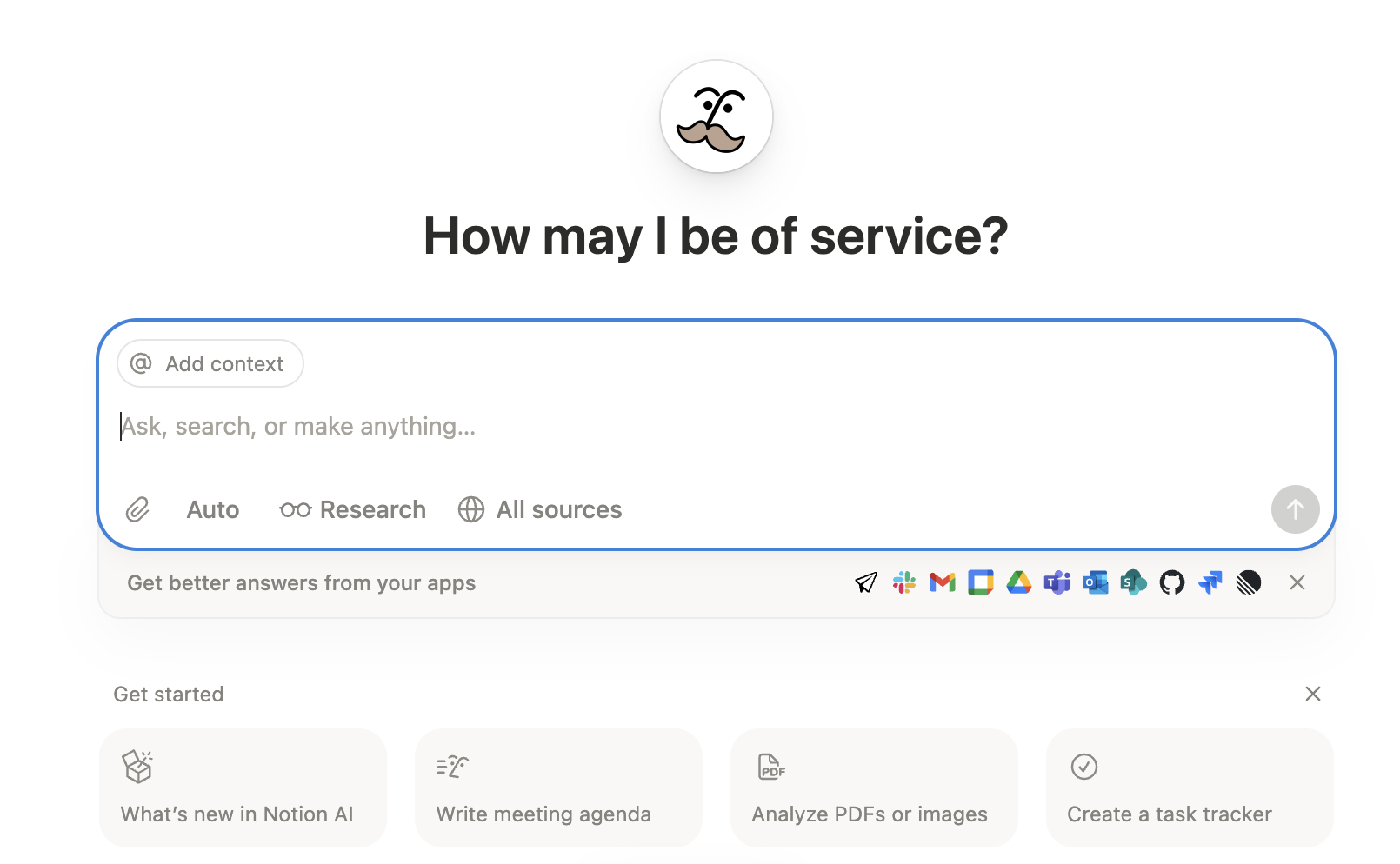
Open the AI window
Click “Ask AI” on any page or use the left sidebar. You’ll get a small chat window you can summon anywhere.
Say what you want in plain English
Keep it short. One task per prompt.
“Outline this.” “Tighten this intro.” “Bullet this section.”
Pick an action if helpful
Ask for Outline, Summarise, Brainstorm, Critique. Let it do the heavy lifting, you do the decisions.
Iterate like you would with a colleague
“Shorter.” “More British.” “Keep my humour.” “Lose the waffle.”
Insert to page, then tidy by hand
AI gets you to good. You take it to done.
Pro tip: Get interviewed by your AI first
“Ask me questions to design my content system: what the database is for, where content goes, when and how often I publish.”
Answer a handful. Then say: “Build a simple content database with a task list and a calendar.”
You’ll get a usable first version in minutes. Improve from there.
A sensible setup that just works
Start modestly. Add only what you need.
Content table
Title, Status, Platform, Publish Date, Main link
Views you’ll actually use
Today view: what’s due or overdue
Ready to Publish: one click to schedule
Calendar: your next two weeks at a glance
A tiny checklist on each draft page
Hook, outline, edit pass, links added, publish, repurpose
That’s enough to go from idea to published without losing the plot.
How it feels in practice
You capture a spark in seconds and it doesn’t disappear
You sit down to write and you’re not facing a blank page
You publish and the trail is tidy: link saved, date stamped, job done
You return a week later and know exactly what to pick up
Calm, not clever. Useful, not fussy.
Sensible trade‑offs
One subscription instead of a drawer full of tools
Your work sits inside one system’s logic. That’s the point: fewer moving parts, fewer excuses
A 20‑minute starter plan
Minute 0–5: Create one page called “Today” and one database called “Content”
Columns: Title, Status, Platform, Publish Date, Main Link
Minute 5–10: Ask AI to interview you
“Ask me 10 questions to design a simple content workflow.”
Answer honestly. Short answers.
Minute 10–15: Ask AI to build the basics
“Create three views: Today, Ready, Calendar. Add a tiny checklist template on each page.”
Minute 15–20: Drop in your next three ideas
Give each a Status and a Publish Date.
Open the next one and ask AI for a 5‑point outline.
You’re now out of your head and into motion.
If you’re over 50, this is built for your patience level
Less faff, more finish
No talking down
Short, simple steps you can change with one click
Grows with you when you actually need more
We’ve had enough of flashy. Quietly useful wins.
Try this now
Copy this prompt into your Notion AI window:
“Interview me to set up a simple content system. Ask about purpose, where content goes, when and how often I publish, and what success looks like for me. Then propose a minimal content database with a task list and a calendar, plus three views: Today, Ready, and Calendar. Keep it simple. British English.”
Then paste the result into a new page called “My Content System” and hit go.
The bottom line
Notion with AI is a quiet companion that keeps your work straight and lends a brain when you want it. It helps you think, write, and publish without the palaver. If you prefer substance over ceremony, this will feel like a relief.
Friendly disclaimer: I’m not an expert and this isn’t advice. I’m simply sharing what’s working for me. If you want deeper tutorials, pop “Notion AI agent content ” into YouTube and pick a walkthrough that suits you.